

A phone photo printer is a cheap box that sells you paper for the rest of its life. So the printer you pick matters less than the paper it locks you into: that paper sets how big your prints are, how they look, how long they last and what each one costs. We lined up 18 portable and compact photo printers from Canon, Fujifilm Instax, Kodak, HP and Polaroid and compared what actually separates them: print technology, print size, resolution, weight, battery and Wi-Fi. The picks and price buttons sit above this article, and the full sortable sheet has every printer side by side.
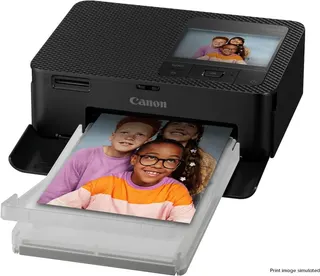
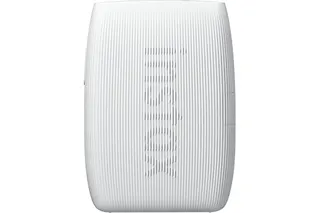
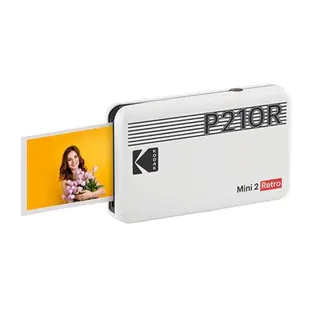
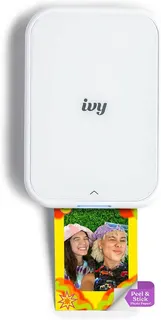
The short answer: the Canon SELPHY CP1500 makes the best prints here and is the one to buy if you want real 4x6 photos. The Fujifilm Instax Mini Link 3 is the best printer that fits in a pocket, the Kodak Mini 2 Retro is the best value, and the Canon IVY 2 is the pick if what you actually want is stickers.
Print technology: the choice that decides everything
Every printer here uses one of three methods, and each one gives a different kind of print.
- Dye-sublimation (8 printers): heat transfers dye from a ribbon onto the paper in passes, and the last pass lays down a clear protective coat. Canon's SELPHY CP1500 and QX20, HP's Sprocket Studio Plus, the Polaroid Hi-Print 2x3 and four Kodaks (Mini 2 Retro, Mini 3 Retro, Dock Plus and Dock & Wi-Fi) work this way. Kodak calls its version 4Pass. The prints look like drugstore photos and shrug off fingerprints and spills.
- ZINK (6 printers): the color crystals are already in the paper, and heat activates them. There's no ink or ribbon, and the paper usually has a peel-off sticky back. The Canon IVY 2, HP Sprocket 2nd Edition, Sprocket Select and Sprocket 3x4, and Kodak Step and Step Slim use it.
- Instax film (4 printers): Fujifilm's Link printers expose real instant film from your phone's image, then the print develops in your hand. That's the Mini Link 3, Mini Link+, Square Link and Link WIDE 2.
Reviewers keep landing in the same order on print quality. Digital Camera World put the Polaroid Hi-Print's dye-sub color close to Canon's SELPHY, while TechRadar called Instax prints vivid and glossy and better looking than ZINK. ZINK is the convenient one, not the pretty one. Tom's Guide flagged major color issues on the Sprocket, and Tech Advisor liked the Kodak Step for its reliability rather than its color.
Slopsheets says: Decide whether you want photos, film or stickers before you look at anything else. Dye-sub makes the best photos, Instax gives you the film look, and ZINK makes stickers. No printer does all three.
Print size: how much picture you actually get
Size labels mix inches, film names and sticker formats, so here's what each printer actually puts in your hand, sheet size from each maker's spec sheet:
- 4x6 (100×148 mm): Canon SELPHY CP1500, HP Sprocket Studio Plus, Kodak Dock Plus, Kodak Dock & Wi-Fi.
- Instax Wide (108×86 mm sheet): Fujifilm Link WIDE 2.
- 3.5×4.25 in (89×108 mm): HP Sprocket 3x4, the biggest ZINK print.
- Square, about 3 in: Kodak Mini 3 Retro (76×76 mm), Canon SELPHY QX20 (72×85 mm sticker sheet), Instax Square Link (72×86 mm sheet).
- Card size (about 54×86 mm): Kodak Mini 2 Retro, Polaroid Hi-Print 2x3, Instax Mini Link 3 and Mini Link+. HP's Sprocket Select is a touch wider at 58×86 mm.
- 2x3 in (51×76 mm): Canon IVY 2, HP Sprocket 2nd Edition, Kodak Step and Step Slim.
Instax sheets need a second look, because the film border eats a lot of the sheet. Fujifilm lists a 62×46 mm image on a Mini sheet, 62×62 mm on Square and 62×99 mm on Wide.
If the prints are going on a fridge or into a frame, get a 4x6 printer. If they're going into a wallet, a journal or a party guest's hand, card size is the right size, and it's also the only size that fits a pocket printer.
Resolution: the number that tells you least
Makers love quoting dpi, and the biggest numbers here belong to the weakest prints. ZINK printers advertise two figures: Canon states 313 × 512 dpi for the IVY 2, HP states 313 × 400 for the Sprocket and 321 × 600 for the Select. The CP1500 claims a plain 300 dpi, and the Instax printers all claim 318.
Up to 512 dpi, so the little ZINK printer must out-resolve a 300 dpi SELPHY.
Dye-sub lays down continuous tone, so 300 dpi looks smooth. ZINK at any dpi still reads softer and less accurate, which is the complaint reviewers keep repeating.
We list the lower figure in the sheet so the column compares like with like, and the higher axis is noted on each product. Treat the column as a tie-breaker inside a technology, never across them. RTINGS' lab test of the SELPHY QX20 found that color range shaped detail more than resolution did. It called the photos reasonably sharp but said the narrow color range loses fine detail.
Weight and battery: pocket printer or desk printer
Fourteen of the 18 have a built-in rechargeable battery. The four that don't are also the four heaviest machines in the group, and they're all 4x6 printers: the SELPHY CP1500 (850 g, with an optional battery pack sold separately), the Kodak Dock Plus and Dock & Wi-Fi (760 g each, both run off the wall and charge your phone while it sits in the dock), and the HP Sprocket Studio Plus (1,150 g, mains only).
Battery life varies a lot more than you'd guess from the size. Fujifilm rates the Mini Link 3 at about 100 prints a charge, while Polaroid rates the Hi-Print 2x3 at about 20 and Canon puts the IVY 2 at about 20 as well. The Kodak Step manages about 25, per Tech Advisor. If you're printing for a whole party, that gap is the difference between one charge and three. Charging ports differ too: the Instax Link WIDE 2 and the SELPHYs use USB-C, while the Kodak Step and HP's Sprocket Select and 3x4 still use micro-USB.
Pay up only if: the prints need to be 4x6. For anything wallet-sized, a battery printer under 400 g does the job and actually comes along.
Wi-Fi or Bluetooth: how your phone talks to it
Only four printers here do Wi-Fi: the Canon SELPHY CP1500, the SELPHY QX20, the HP Sprocket Studio Plus and the Kodak Dock & Wi-Fi. The other 14 pair over Bluetooth, which is simpler for one phone and fine for passing around at a party.
Wi-Fi isn't automatically better. The QX20 does Wi-Fi Direct only, with no Bluetooth and no home-network mode, which both RTINGS and Digital Camera World counted against it. Owners of the Kodak Dock & Wi-Fi report pairing that's confusing and flaky. The CP1500 is the one that does it well, and it adds an SD card slot and USB-C so you can print without a phone at all, which Digital Camera World praised.
What the box won't tell you: almost every printer here only prints from a phone app. If the app gets abandoned, so does the printer. Fujifilm's and Canon's apps get the most praise from reviewers, and the SELPHY CP1500 is the only one with an SD card slot, so it doesn't need the app at all.
Which printer to buy
- Best prints, period: the Canon SELPHY CP1500. Overcoated 4x6 dye-sub, Wi-Fi, SD slot and USB-C. Digital Camera World's main complaints are that the battery is an extra and there's no Bluetooth.
- Best in a pocket: the Fujifilm Instax Mini Link 3. Real film, a polished app and about 100 prints a charge. TechRadar's big knock is the cost of film. The Mini Link+ adds app modes for more money.
- Biggest instant prints: the Instax Link WIDE 2. Digital Camera World loved the prints and the USB-C, and noted occasional stray lines.
- Best value: the Kodak Mini 2 Retro. Laminated dye-sub prints for not much more than ZINK costs. Digital Camera World's verdict was right in its headline: a small-scale printer that's big on value.
- Best pocket dye-sub: the Polaroid Hi-Print 2x3, if you can live with about 20 prints a charge.
- Best for stickers: the Canon IVY 2. ZINK color is ZINK color, but it has the best app tricks of the sticker crowd, with collages and multi-print tiles.
- Skip unless it's cheap: the Kodak Dock & Wi-Fi, a 2017 design with Wi-Fi that owners struggle with, and the HP Sprocket 2nd Edition, which still sells on its app and its size, not its color.
Don't overpay for: a big ZINK print. The HP Sprocket 3x4 makes the largest sticker here, and the bigger the ZINK print, the more its soft color shows.
Common questions
Do photo printer prints fade?
Dye-sub prints get a clear protective layer on the final pass, which is why they handle fingerprints and splashes better than the rest. Canon's SELPHY prints, Kodak's 4Pass and Polaroid's Hi-Print all use this method. ZINK and Instax prints have no extra coat, so keep them out of direct sun.
Can I print from a laptop?
Mostly no. Nearly every printer here is phone-only. The Canon SELPHY CP1500 is the exception, with an SD card slot, USB-C and Wi-Fi.
Which one makes sticker photos?
All six ZINK printers print on peel-and-stick paper by default. Canon's SELPHY QX20 prints on sticker sheets too, using dye-sub, and Polaroid's Hi-Print 2x3 cartridges have an adhesive back.
Sources / further reading
- Canon SELPHY CP1500 review, Digital Camera World
- Canon Selphy QX20 review: see the smaller picture, Digital Camera World
- Canon SELPHY QX20 review, RTINGS
- Fujifilm Instax mini Link 3 review, TechRadar
- Instax Link Wide 2 portable printer review, Digital Camera World
- Polaroid Hi-Print 2x3 review, Digital Camera World
- Kodak Mini 2 Retro review, Digital Camera World
- Kodak Step Slim review, Digital Camera World
- Kodak Step Instant Printer review, Tech Advisor
- HP Sprocket Photo Printer (2nd Edition) review, Tom's Guide
- The best portable printers, Digital Camera World
- The best portable photo printers, Reviewed
- Instax mini Link 3 specifications, Fujifilm
- SELPHY CP1500 specifications, Canon