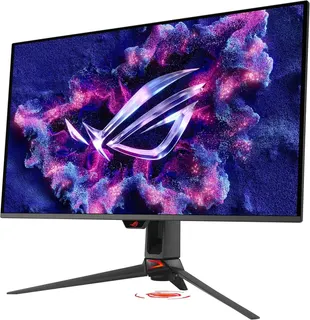
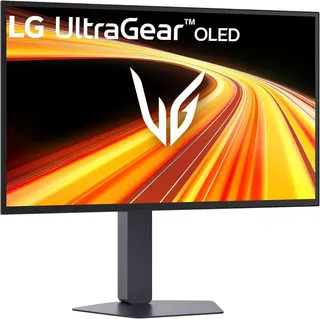
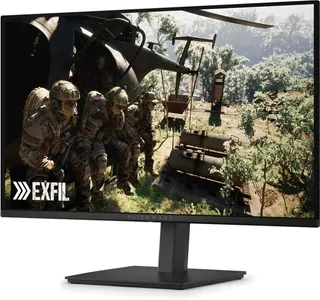
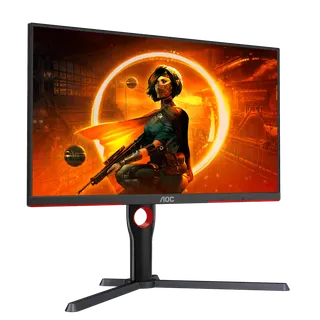


Gaming monitors used to be a refresh rate contest between cheap LCDs. This Black Friday it's mostly an OLED argument. PCWorld's early Black Friday monitor roundup puts it bluntly, saying that for gamers "it's all about OLED right now," and TFTCentral's Black Friday tracker sorts its top picks into OLED monitors by screen size. So 14 of the 19 gaming monitors on this sheet are OLEDs, from ASUS, Alienware, LG and Samsung, alongside three Mini LED monitors from AOC, Acer and TCL and two cheap 1080p IPS screens from Dell and LG. The shortlist sits above this article, and the full sortable sheet lines up every spec. Down here we go column by column, mostly leaning on RTINGS' lab reviews, and point out where the box oversells.
The lineup: six ASUS monitors (the ROG Swift OLED PG32UCDM Gen3, PG27UCDM, PG27AQWP-W and PG34WCDN, plus the ROG Strix OLED XG32UCWMG and XG27AQDMG); three Alienwares (the AW2725DF, AW2726DM and AW3426DW); three LG UltraGears (the 27GX790B-B, 27GX704A-B and 24GS65F-B); three Samsung Odyssey OLEDs (the G80SH, G73SH and the 49-inch G91SD); the AOC Q27G3XMN; the Acer Nitro XV275K P5; the TCL 32R84; and the Dell SE2426HGS.
Quick answers, if you only read this far:
- Best overall: the ASUS ROG Swift OLED PG32UCDM Gen3, RTINGS' best gaming monitor, a 32-inch 4K QD-OLED with almost no motion blur.
- Best for competitive play: the LG UltraGear 27GX790B-B, which runs 540Hz at 1440p and has a matte screen.
- Best value OLED: the Alienware AW2726DM, PC Gamer's best budget OLED, with Dell's three-year burn-in warranty.
- Best on a tight budget: the AOC Q27G3XMN, RTINGS' budget pick, with Mini LED local dimming that cheap monitors usually skip.
- Best ultrawide: the ASUS ROG Swift OLED PG34WCDN, RTINGS' ultrawide pick.
OLED, Mini LED or IPS: the panel column
The panel column splits the sheet into three groups.
- OLED (14): every pixel makes its own light and switches off completely, so blacks are black and motion is close to instant. The catch is burn-in. RTINGS lists "risk of burn-in" against nearly every OLED it reviewed here, and the makers answer with pixel-refresh routines, heatsinks and proximity sensors that turn the screen off when you walk away. Dell goes furthest: RTINGS notes the AW2725DF's three-year warranty covers burn-in, and the AW2726DM has one too.
- Mini LED (3): an LCD with hundreds or thousands of small backlight zones. The AOC Q27G3XMN has 336 of them, the Acer Nitro XV275K P5 has 1,152 and the TCL 32R84 has 1,400, per RTINGS. They get brighter than OLED and don't burn in, but bright objects on dark backgrounds can glow. RTINGS calls it haloing on the Acer and the TCL.
- IPS (2): plain LCDs with no local dimming, the Dell SE2426HGS and LG 24GS65F-B. RTINGS marks both down for low contrast. They're on the sheet because they're cheap and fast enough for esports.
The OLEDs split again by who makes the panel. QD-OLED is Samsung Display's design, used by eight monitors here, and RTINGS tends to praise its colors. WOLED is LG Display's design, used by six here, including Samsung's own G73SH. RTINGS notes that WOLED blacks don't take on the purple tint QD-OLED blacks get in a bright room. It flags exactly that purple tint on the Alienware AW2726DM, the Samsung G80SH and the G91SD.
Slopsheets says: if your desk faces a window, sort the sheet by panel before anything else. A Mini LED gets brighter, and a matte WOLED like the LG 27GX790B-B handles reflections better than a glossy screen. If you mostly game at night with the lights off, the OLEDs are where the contrast is.
Refresh rate: the number on the box isn't always the native one
Refresh rate is how many new frames the screen can show each second. The sheet lists the fastest rate at each monitor's full resolution. Eight monitors sit at 240Hz, which is now the mainstream number for an OLED. The two fastest are the LG 27GX790B-B and the ASUS PG27AQWP-W at 540Hz, both using the same RGB tandem OLED panel at 1440p, per RTINGS. The Alienware AW2725DF and ASUS PG34WCDN run at 360Hz.
At the slow end, the Samsung G91SD tops out at 144Hz across its 49 inches, and the Mini LEDs sit between 160Hz and 180Hz. That's still smooth. The question is whether your graphics card can feed a 4K or 5120-pixel-wide screen fast enough to matter.
Dual mode: two monitors in one, with a trade-off
Five monitors have a dual mode, which drops the resolution to run a faster refresh rate. RTINGS lists these switches:
- LG 27GX790B-B and ASUS PG27AQWP-W: 1440p at 540Hz, or 720p at 720Hz.
- ASUS ROG Strix OLED XG32UCWMG: 4K at 240Hz, or 1080p at 480Hz. ASUS calls it Frame Rate Boost.
- Samsung Odyssey OLED G73SH: 4K at 165Hz, or 1080p at 330Hz.
- Acer Nitro XV275K P5: 4K at 160Hz, or 1080p at 320Hz.
It's a good idea for one kind of player: someone who plays a slow, pretty single-player game one night and a fast shooter the next. The low-resolution mode looks softer, so it's no use for desktop work.
The catch: a 720Hz mode only helps if your PC renders 720 frames a second. Most can't, except in lightweight esports games. For everything else, the native refresh rate column is the one that counts.
Resolution and size: 27 inches is the default
Nine monitors are 27 inches, five are 32, two are 34-inch ultrawides, two are 24 and one is the 49-inch Samsung G91SD. Resolution follows size.
- 1440p at 27 inches is the sweet spot for most gaming PCs. Seven monitors here do it.
- 4K is on seven monitors. On the 27-inch ASUS PG27UCDM it makes text look "incredibly sharp," per RTINGS. On a 32-inch screen like the PG32UCDM Gen3 or Samsung G80SH it gives you a big screen without visible pixels.
- Ultrawide 1440p (3440×1440) is on the ASUS PG34WCDN and Alienware AW3426DW. RTINGS notes that consoles don't support ultrawide signals, so a PS5 won't fill the Alienware's screen.
- Super ultrawide (5120×1440) is the G91SD, which is two 1440p screens side by side. With consoles it's limited to 4K at 60Hz or 1440p at 120Hz, per RTINGS.
Text clarity on OLED also depends on the subpixel layout, not just the pixel count. RTINGS found fringing around letters on several OLEDs here, including the Alienware AW2726DM and the LG 27GX704A-B. The new RGB-stripe panel in the ASUS PG34WCDN and the V-Stripe RGB panel in the Alienware AW3426DW are built to fix it, and RTINGS rates the PG34WCDN's text clarity better than older QD-OLEDs.
HDMI 2.1 bandwidth: the column for PS5 and Xbox owners
If a console is going into this monitor, check this column first. Full HDMI 2.1 bandwidth is what carries 4K at 120Hz from a PS5 or Xbox Series X. Thirteen monitors here have it. Six don't: the Alienware AW2725DF and AW2726DM, the ASUS XG27AQDMG, the AOC Q27G3XMN, the Dell SE2426HGS and the LG 24GS65F-B.
That matters most on the AW2725DF, one of the best PC monitors on the sheet. RTINGS says it's limited to HDMI 2.0 bandwidth, so you can only use the monitor fully over DisplayPort.
Two HDMI 2.1 ports, so it's ready for a PS5.
Dell's own spec sheet for the SE2426HGS notes its HDMI 2.1 ports run in TMDS mode, the slower signaling HDMI 2.0 also uses, and RTINGS found it only supports 1080p signals from consoles.
The column also says nothing about DisplayPort. The ASUS XG32UCWMG has full HDMI 2.1 but RTINGS notes it's limited to DisplayPort 1.4 bandwidth, while the PG32UCDM Gen3, PG34WCDN, PG27UCDM and LG 27GX790B-B have DisplayPort 2.1.
Which gaming monitor to buy
- You want the best picture and play everything: the ASUS ROG Swift OLED PG32UCDM Gen3. RTINGS' main knock is that blacks look gray in a bright room. The Samsung Odyssey OLED G8 G80SH is the matte alternative with the same 4K and 240Hz.
- You play competitive shooters: the LG UltraGear 27GX790B-B or the glossy ASUS PG27AQWP-W. The LG is matte and the ASUS is glossy, and RTINGS notes the ASUS usually costs more.
- You want an OLED without spending much: the Alienware AW2726DM, with the burn-in warranty. Skip it if a console is involved, because RTINGS found it doesn't take 4K at 120Hz.
- Your room is bright: the AOC Q27G3XMN on a budget, or the Acer Nitro XV275K P5 if you want 4K. Both are Mini LEDs that get bright.
- You want immersion: the ASUS PG34WCDN ultrawide. The Samsung G91SD is the even wider option, but it's 144Hz and RTINGS found fringing around text and windows.
- You only play esports and want to spend the least: the Dell SE2426HGS, RTINGS' cheap pick.
Pay up only if: you'll see the difference. A 540Hz OLED is wasted on a PC that runs your game at 120 frames per second, and a 4K OLED is wasted on a card that can't push 4K. Match the monitor to the graphics card, then sort by panel.
If the monitor is going on a desk you travel away from, our portable monitors sheet covers the USB-C screens that fit in a laptop bag.
Gaming monitor FAQ
Is OLED burn-in still a problem on gaming monitors? It's still a risk, and RTINGS flags it on nearly every OLED here. Makers reduce it with pixel-refresh routines and sensors that blank the screen when you leave. Dell covers burn-in under the three-year warranty on the AW2725DF and AW2726DM, per RTINGS.
Is 1440p or 4K better for a gaming monitor? 1440p at 27 inches is easier to run at high frame rates and is what most monitors here use. 4K looks sharper and suits 32-inch screens, but it needs a much faster graphics card to hit 240Hz.
Do I need HDMI 2.1 for a PS5 or Xbox Series X? Yes, if you want 4K at 120Hz. Thirteen monitors on this sheet have full HDMI 2.1 bandwidth. RTINGS found the 1080p Dell takes console signals at 1080p only.
What is a dual-mode gaming monitor? One that can trade resolution for speed at the press of a button, like 4K at 240Hz or 1080p at 480Hz on the ASUS XG32UCWMG. Five monitors here have it.
Sources / further reading
- RTINGS: The best gaming monitors
- RTINGS: ASUS ROG Swift OLED PG32UCDM Gen3 review
- RTINGS: LG 27GX790B-B review
- RTINGS: Dell Alienware AW2725DF review
- RTINGS: Dell Alienware AW2726DM review
- RTINGS: ASUS ROG Swift OLED PG34WCDN review
- RTINGS: Samsung Odyssey OLED G80SH review
- RTINGS: Samsung Odyssey OLED G91SD review
- RTINGS: Acer Nitro XV275K P5 review
- RTINGS: AOC Q27G3XMN review
- RTINGS: TCL 32R84 review
- RTINGS: Dell SE2426HGS review
- PC Gamer: Best gaming monitors in 2026
- PCWorld: Best Black Friday monitor deals 2026
- TFTCentral: Black Friday monitor deals tracker 2026
- Dell SE2426HGS tech specs