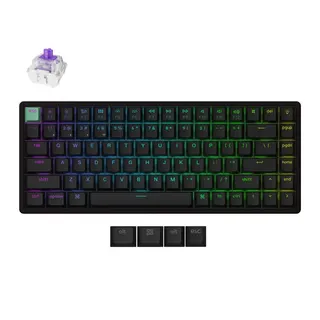
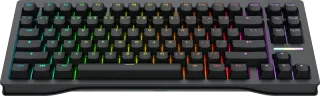
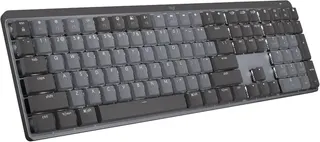
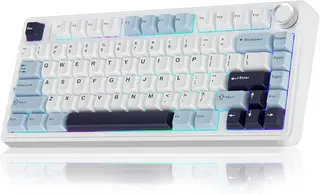


The mechanical keyboard aisle in 2026 is two arguments stacked on top of each other. One is old: which switch, which size, which keycaps. The other is new, and it is the reason this table exists. Magnetic Hall effect switches, the ones with adjustable actuation and rapid trigger, have gone from an esports curiosity to a feature you can get on a mainstream wireless board, and the marketing has followed them with a polling-rate number that mostly does not matter.
This page compares 27 brand-name keyboards from Logitech, Keychron, Razer, Corsair, Wooting, SteelSeries, ASUS, HyperX, NuPhy, Ducky, AULA and Redragon on seven things you can check against a spec sheet: layout, switch type, hot-swap, wireless, maximum polling rate, weight, and keycap material. The table sorts on all seven. What follows is what the columns mean once your hands are on the thing, plus where the labs that test these boards for a living land.
What no column can tell you is how a switch feels to you. Linear, tactile, or clicky is a preference, not a spec, and most boards here come in more than one. Pick the board on the columns below, then pick the switch on your own fingers.
Which mechanical keyboard should you buy?
Short version, for people with a cart already open:
- Best overall: Keychron K2 HE. Magnetic switches with adjustable actuation, real wireless, hot-swap, and PBT caps in a 75% board. Tom's Guide and Tom's Hardware both gave it an Editor's Choice.
- Best for competitive gaming: Wooting 80HE. It is wired only and it costs more, but its software and true 8,000Hz polling make it the board the rest of the magnetic field gets measured against.
- Best for office work: Logitech MX Mechanical. Quiet low-profile switches and multi-device switching across three computers. You give up hot-swap and a wired mode to get it.
- Best budget: AULA F75. A gasket-mounted, tri-mode, hot-swap 75% that sounds far better than its price. The catch is a Windows-only driver.
Layout: 75% and TKL are the default, full-size is the exception
Ten of the 27 boards here are tenkeyless (TKL), eight are 75%, five are full-size, two are 96%, and two are 60%.
A 75% board keeps the function row and the arrow keys and drops the number pad, the navigation cluster, and the gaps between them. Your mouse sits roughly 10 centimeters closer to your keyboard hand, which is the whole point for anyone who games, and nobody who writes for a living misses the Insert key. A TKL keeps the navigation cluster in its usual spot and the spacing you grew up with. It is the safer choice if you use Home, End, and Page Up by muscle memory. Wooting calls the 80HE an "80%" and Ducky does the same for the One 3 TKL; both sit in the TKL group here.
If you type numbers all day, you have two options. Full-size gives you the classic layout, and five boards here have it: the Logitech MX Mechanical, the Logitech G413 SE, the Razer BlackWidow V4 Pro, and two Corsair K70s. A 96% board, like the Keychron Q5 Max or the ASUS ROG Azoth 96 HE, keeps the numpad but packs the navigation keys in tight, which saves a few centimeters.
The two 60% boards, the Wooting 60HE v2 and the NuPhy Air60 V2, drop the function row and the arrows and put them on a second layer. Do not buy a 60% for typing unless you already know you like layers.
Slopsheets says: Start at 75%. Move up to TKL if you use the navigation keys, to 96% or full-size only if you type numbers daily, and down to 60% only if you play shooters and do not write much.
Switch type: magnetic is the real shift, and it changes what hot-swap means
The switch column sorts the field into four kinds:
- Mechanical (16 boards): the classic metal-contact switch. It registers at one fixed point, usually around 2mm down.
- Low-profile mechanical (5 boards): the same idea, shorter, for a laptop-like feel. These are the two Logitech MX boards, the Logitech G915 X TKL, and the NuPhy Air75 V3 and Air60 V2.
- Hall effect (5 boards): a magnet and a sensor measure how far the key has moved, so you set where it actuates. These are the Keychron K2 HE, the Wooting 80HE and 60HE v2, the ASUS ROG Azoth 96 HE, and the SteelSeries Apex Pro TKL (2023).
- Analog optical (1 board): the Razer Huntsman V3 Pro TKL 8KHz, which reads key depth with light instead of a magnet and gets the same tricks.
The six adjustable boards are the reason this category is trending. Razer specs the Huntsman V3 Pro's actuation from 0.1mm to 4.0mm, and Keychron specs the K2 HE from 0.2mm to 3.8mm. Set it shallow and a key fires almost as you touch it. Set it deep and you stop mistyping when a finger rests on a key. Rapid trigger, the headline feature, resets the key the moment it starts to rise instead of waiting for it to pass a fixed reset point. That matters for strafing in shooters and close to nothing for typing an email.
Here is the part the product pages skip. On a magnetic board, "hot-swappable" means something narrower. The K2 HE takes only Gateron double-rail and Keychron Lime magnetic switches. The Wooting boards take compatible magnetic switches like Wooting's own Lekker line. You cannot drop in the thousands of ordinary mechanical switches the hobby has spent a decade making. The SteelSeries Apex Pro TKL and the Huntsman V3 Pro solder their switches in, so they do not swap at all.
Pay up only if: you play fast competitive shooters, where rapid trigger is a measurable edge. For typing, adjustable actuation is a nice-to-have, and a well-built mechanical board at half the price will feel better under your fingers.
Hot-swap: none of the five Logitechs swap
Sixteen of the 27 boards let you pull a switch out and push a new one in without a soldering iron. That covers every Keychron, both Wootings, both NuPhys, both ASUS boards, the Ducky One 3 TKL, the Corsair K65 Plus Wireless, the AULA F75, and the Redragon K552.
Hot-swap matters for two reasons. The first is repair: one dead or chattering switch on a soldered board means a soldering job or a new keyboard. On a hot-swap board it means a cheap spare part and thirty seconds. The second is that it lets you change the feel later, which is most of the hobby.
One caveat from the research: the Redragon K552 has been in production a long time, and older units shipped with soldered switches even though current ones swap, so check the listing before you count on it.
Don't overpay for: a soldered board at a flagship price. The Logitech G915 X TKL and PRO X TKL cost as much as hot-swap boards that you can repair yourself.
Wireless: the column that hides a second polling rate
Sixteen of the 27 boards have some wireless mode. Eleven are wired only, and they skew heavily toward gaming: four of the six adjustable boards are cable-only, along with the BlackWidow V4 Pro and both Corsair K70s. The ASUS ROG Azoth 96 HE and the Keychron K2 HE are the two magnetic boards you can use without a cable.
"Wireless" in this table means either a 2.4GHz dongle or Bluetooth, and those two are not the same thing. Most tri-mode boards here run at 1,000Hz over their dongle and much slower over Bluetooth. Keychron rates its V Max boards at 90Hz on Bluetooth, and the NuPhy Air75 V3, the K2 HE, and the original ROG Azoth drop to about 125Hz there.
Two wireless quirks matter more than the rest. The Logitech MX Mechanical and MX Mechanical Mini have no wired data mode at all: the USB-C port only charges them, so they connect through a Logi Bolt receiver or Bluetooth and nothing else. The Keychron K8 Pro is Bluetooth only, with no 2.4GHz dongle, and runs at 90Hz whenever it is not plugged in.
The catch: A "wireless gaming keyboard" is only a gaming keyboard on the dongle. On Bluetooth, most of these drop to about a tenth of the polling rate on the box.
Polling rate: 8,000Hz is a real number that you will not feel
Polling rate is how often the keyboard reports to your computer. At 1,000Hz, that is once every millisecond. At 8,000Hz, once every eighth of a millisecond.
Twenty of the 27 boards poll at 1,000Hz. Six go to 8,000Hz: the Wooting 80HE and 60HE v2, the Razer Huntsman V3 Pro TKL 8KHz and BlackWidow V4 Pro, the Corsair K70 RGB Pro, and the ASUS ROG Azoth 96 HE, the only one of the six you can use without a cable. Logitech publishes no report rate for the MX Mechanical Mini, and we could not find a measurement, so that cell is blank rather than guessed.
The 8,000Hz figure is genuine on all six. What it buys you is shaving under a millisecond off a chain that includes your monitor, your game engine, and your own reflexes, which run in the hundreds of milliseconds.
8,000Hz polling makes the keyboard eight times faster than a 1,000Hz board.
It saves under 1 millisecond per keypress. Switch type and actuation depth move your input timing far more than polling does.
The more useful thing this column tells you is what a board does not do. The Keychron K2 HE and SteelSeries Apex Pro TKL are both magnetic boards that stop at 1,000Hz. If 8K matters to you, those are the ones to skip.
What the box won't tell you: For competitive play, a Hall effect board at 1,000Hz will usually do more for you than a mechanical board at 8,000Hz, because rapid trigger saves more time than polling can.
Weight: 463 grams to 2.2 kilograms, and not every maker weighs the same thing
The NuPhy Air60 V2 is the lightest board here at 463 grams. The Keychron Q5 Max is the heaviest at 2,215 grams, nearly five times as much, and its smaller sibling, the Q1 Max, is 1,724 grams. Those two are machined aluminum, and the weight is the point: a board that heavy does not slide, ring, or flex.
For a board that lives on one desk, weight is a feel spec, not a drawback. It only becomes a real number if the keyboard travels, and then the low-profile boards win: the NuPhy Air60 V2 and Air75 V3 and the Logitech MX Mechanical Mini all come in under 725 grams.
Read this column with one caveat. Makers do not all weigh the same thing. HyperX's 900-gram figure for the Alloy Origins Core includes the cable, and AULA's 1,023 grams for the F75 includes the cable and the receiver. Razer and Corsair publish figures without their wrist rests, and that is the number we use. Logitech publishes no weight for the PRO X TKL, so its figure comes from a retailer. The spec notes on the sheet flag each of these.
The catch: A 1.7-kilogram aluminum board feels wonderful and goes nowhere. If it needs to fit in a bag, sort this column before you fall for a Q-series.
Keycaps: PBT on 21 of 27, and ABS where you would not expect it
Keycaps come in two plastics. PBT is harder and textured, and it keeps that texture for years. ABS is smoother and cheaper to mold, and it develops a greasy shine where your fingers land, sometimes within months.
Twenty-one boards here ship with PBT. Six ship with ABS: the Logitech MX Mechanical and MX Mechanical Mini, the Razer BlackWidow V4 Pro, the Corsair K70 CORE RGB, the HyperX Alloy Origins Core, and the Redragon K552. The surprise is the top of that list. Logitech's two premium productivity boards ship with the cheaper plastic, and so does the BlackWidow V4 Pro, a flagship gaming board. HyperX sells a separate Alloy Origins Core PBT edition, so look for it by name if you want the Core.
Not all PBT is equal either. The Corsair K65 Plus Wireless uses single-shot dye-sublimated PBT, which means the legends do not let the RGB shine through. If you type in a dark room, that is a real difference the material column will not show you.
Don't overpay for: a board you love except for the caps. Keycaps are the cheapest part to replace on a standard layout, so ABS is a reason to budget for a new set, not a reason to walk away.
Frequently asked questions
Is a Hall effect keyboard worth it if I don't play competitive games? Mostly no. The headline features, rapid trigger and very shallow actuation, help in fast shooters. For typing, a good mechanical or low-profile board feels as good or better, and you keep the much larger pool of switches to swap into.
Can I use a gaming keyboard for typing all day? Yes, if the switches suit you. Reviewers most often praise the typing feel of the gasket-mounted boards here, like the original ASUS ROG Azoth, the Keychron Q1 Max, and the AULA F75, whose mounting and foam soften each keystroke. Boards built mainly for speed, like the Huntsman V3 Pro, tend to be louder.
Should I pick a 2.4GHz dongle or Bluetooth? Dongle for gaming, Bluetooth for juggling devices. Most boards here can do both, and the multi-device switching is what makes the Logitech MX boards popular in offices.
Do I need a wired mode? Only if you want a keyboard that works when the battery is flat. The Logitech MX Mechanical and Mini cannot carry data over their cable at all, so plan to charge them.
Sources / further reading
- Keychron K2 HE review: A magnetic masterpiece, Tom's Guide
- Keychron K2 HE Special Edition Review, Tom's Hardware
- Wooting 80HE review, Tom's Guide
- Wooting 80HE specs, Wooting
- Asus ROG Azoth Review, Tom's Hardware
- Corsair K65 Plus Wireless Keyboard Review, Tom's Hardware
- Corsair K70 RGB Pro Review, Tom's Hardware
- Logitech MX Mechanical Keyboard Review, Tom's Hardware
- Logitech MX Mechanical Mini review, Tom's Guide
- Logitech G915 X TKL Review, Tom's Hardware
- Razer BlackWidow V4 Pro Review, Tom's Hardware
- Keychron V3 Max review, Tom's Guide
- SteelSeries Apex Pro TKL (2023) review, TechRadar
- Razer Huntsman V3 Pro TKL specs, Razer
- Keychron V1 Max specs, Keychron
- Redragon K552 Kumara test results, RTINGS
- Logitech G413 SE test results, RTINGS